 Alastic
How to Find and Cancel Subscriptions You Forgot About
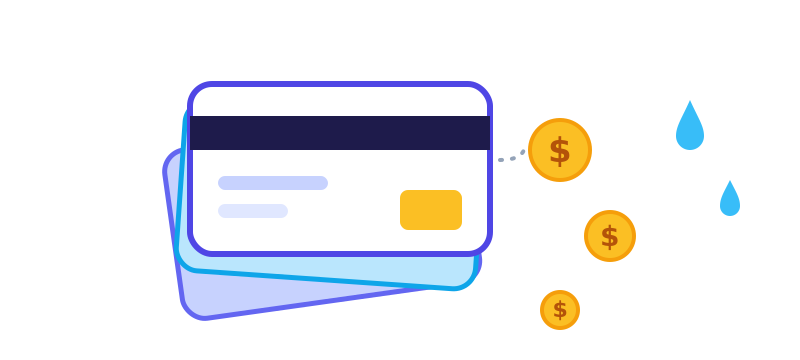
Subscriptions rarely hurt on their own. A streaming plan here, a cloud storage tier there, a free trial you forgot to cancel. Each one is small, so none of them gets noticed, and together they can quietly cost more than you would ever choose to spend. Eight subscriptions at an average of 7 dollars is 56 dollars a month, or 672 dollars a year.
Step 1: Look at the money that already left
Open the last three months of statements for every bank account and card you use. Search or scan for repeating merchants and write each one down with its amount and how often it charges. Three months catches monthly charges and some quarterly ones. If you can, look back a full year to catch annual renewals, which are the easiest to forget.
Step 2: Check the app stores
Many subscriptions are billed through your phone, so they appear under one app store name on a statement.
- iPhone: open Settings, tap your name, then Subscriptions.
- Android: open Google Play, tap your profile picture, then Payments and subscriptions, then Subscriptions.
Both lists show what is active, what it costs, and when it renews. They also show expired ones, which is a useful reminder of what you tried.
Step 3: Search your email
Search your inbox for words like "receipt", "renewal", "subscription", "trial" and "invoice". Subscriptions you started years ago often still send a monthly receipt, and that email tells you where to cancel.
Step 4: Decide, one by one
For each item, ask three questions: did I use it this month, would I buy it again today, and is there a cheaper plan? Then sort each into one of three piles.
- Keep: you use it and it is worth the price.
- Downgrade: you use it a little. Pick a cheaper tier or a shared family plan.
- Cancel: you have not used it recently, or you only wanted it for one show or project.
Step 5: Cancel the right way
- Cancel where you signed up. A subscription bought in an app store has to be cancelled in that store, not inside the app.
- Look for a confirmation message or email, and keep it.
- Check your next statement to confirm the charge stopped.
- If a service makes cancelling hard, note the date and details, and ask your bank about blocking future charges.
Stop it from happening again
- When you start a free trial, add a reminder two days before it ends.
- Prefer monthly plans for things you are unsure about, and move to annual only when you know you will keep it.
- Keep one list of every recurring charge with its renewal date, and review it every few months.
- Use a separate card for subscriptions so they are easy to see in one place.
Do the audit once, and the habit is easy: you simply review the list when it is time.
More guides
Thermal Printers for Receipts and Labels: A Practical Guide
How thermal printing works, 58 mm versus 80 mm paper, Bluetooth versus USB, and fixes for faint, garbled or missing prints.
How to Price a Wash-and-Fold Laundry Service
The costs to count, a cost-per-kilo formula, a worked example, and how to set regular, express and per-item prices.

Five Simple Ways to Calm an Overloaded Mind
Breathing, grounding, writing, movement and talking to someone for when your head feels crowded, plus when to look for professional help.